Monday, November 18, 2013

Vexels with a 'tude!

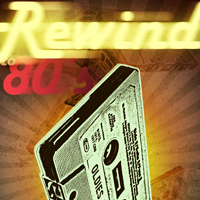
A vexel image is an image created using bits, pixels in our case, while it emulates vector images.

 
The one on the left is the results of a great tutorial, and here is my version.

The difference between the two is that a vector image is drawn using mathematical equations and not pixels. So if I made an image using vector graphics at the size of 4"x4" I could blow that image up to 400"x400" or 4,000"x4,000" without any change in the image--it would look exactly the same! If I make an image in Photoshop at 72 ppi (pixels per inch) at a size of 4"x4" and blow that up to just two or three times that size I would begin to see pixels, and the image would become abstracted.

So a vexel image is not a great image to make if you are printing it large scale, and Adobe Illustrator or some other vector based program should be used. But we are just emulating a vector image to create something , so we are fine.

You must conceive of, design, and then create a vexel portrait with an attitude--it must be dynamic.

Tilt Shift Photography!

You will create a tilt shift image like this:
Follow the linked tutorial.

Web Sites w/ Great Images

Here is a link to five web sites where you can find amazing historical photographs.

Sunday, November 10, 2013

Advanced Kids: Funny Character

Use some of the objects in the room to dress up one of your classmates; then do the tutorial linked below:

Beginning Kids: Text Tutorials

Your task is to complete one of these tutorials. I want you to change the text within the poster to something in which you have an emotional investment.
http://psd.tutsplus.com/tutorials/designing-tutorials/how-to-create-an-ice-cold-poster-with-3d-text/?search_index=7


Monday, November 4, 2013

Wednesday, October 30, 2013

This is great stuff!

"Photoshop is an extremely versatile application and offers and endless number of ways to accomplish the same task. With so many ways of producing the same effect, it can be difficult for users to understand which technique is the best for the task at hand. In this tutorial, we will explain 10 bad habits that you can break in Photoshop to help you work a bit more efficiently."


Monday, October 28, 2013

Tutorials for this week.

Do three of the tutorials on this page. Make sure to turn the piece into art that is distinctly yours.

http://digitalartanddesign.org/

This kid watched his neighbor make a propaganda piece and fell in love with the work. So he decided to make a piece with his name. Great job, I think.

Sunday, October 13, 2013

Use text an a graphic...

...to create a pleasing and yet informative message. You are to do one of the following:
make graffiti on a wall
put a disclaimers on a shipping crate
create a cautionary diagram on street a sign or instruction manuals.
Context matters!
Remember that you should do something that you have an emotional attachment. That is, if you don't care about dogs then don't make something about dogs. You should love or hate your subject matter. 
Also, consider how you will deliver your message should be delivered to your audience. Where would your audience be most likely to see it?